Mixing & Mastering Tip #180 ·
How to recreate Waves RVox with FabFilter Pro-C2's Vocal mode

Ruslan Slatin
Mastering engineer at slatin.pro, Madrid
From what I heard, RVox was partially inspired by the famous Tube-Tech CL1B, the holy grail of vocal compressors.
One of its key characteristics is its ultra-soft knee, which gives it that smooth and natural compression.
How I use RVox
After I’m done with gain riding and editing, I use RVox as the first compressor in my vocal chain, and it does wonders. With barely 2 to 3 dB of compression, my vocal is ready for my main compressor in no time.
Not to mention, the plugin’s gate is one of the best-sounding vocal gates out there, in my opinion.
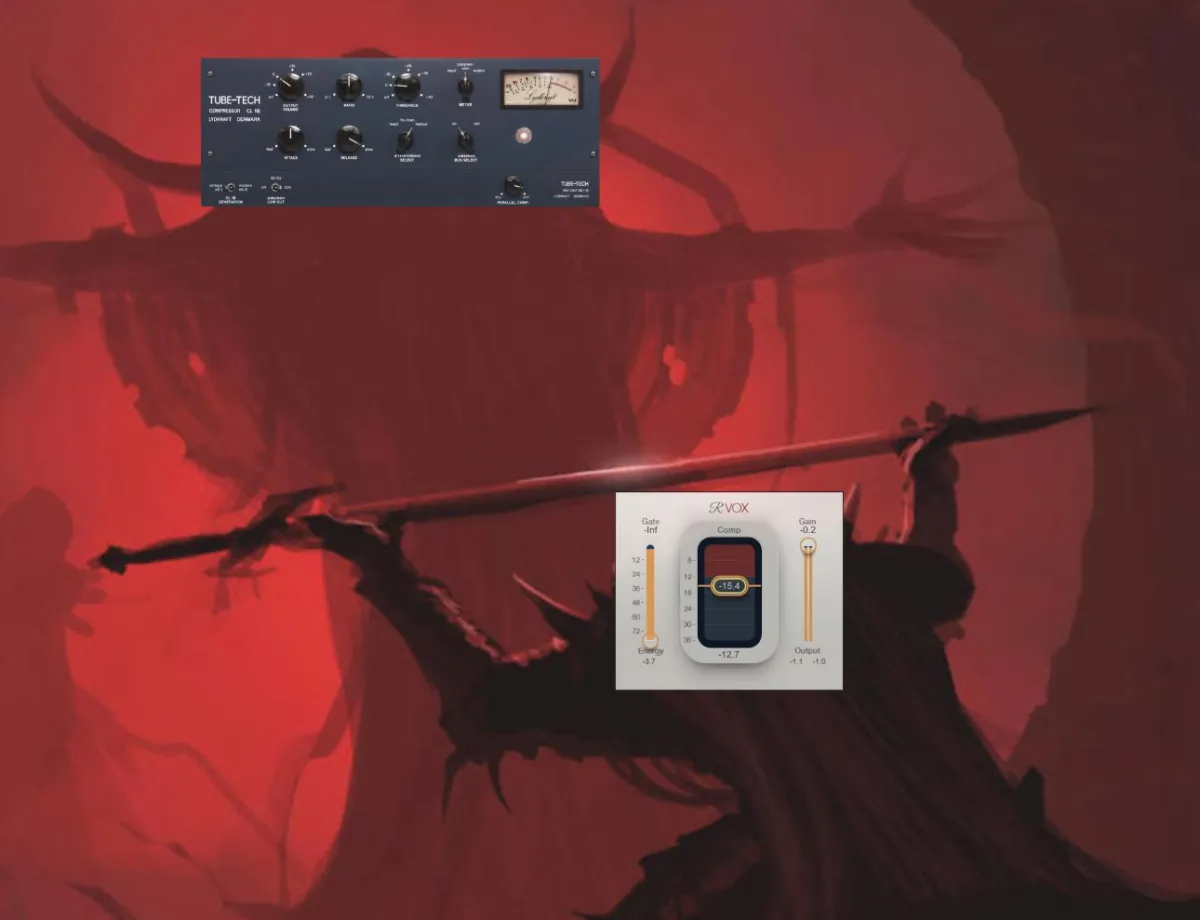
Pro-C2’s Vocal mode is modeled on RVox
What many people don’t know is that Pro-C2’s “Vocal” mode was modeled after RVox.
So if you already own Pro-C2, you can make it sound the same or even better, as illangelo pointed out in the comments on one of my reels.

How to recreate RVox using Pro-C2
- Enable “Vocal” mode in Pro-C2.
- Set the attack to fast and the release to slow.
- From there, adjust the release to taste.

Want this on your own track?
I master more than 1,000 songs a year for artists and labels, from stems or a stereo mix. Send me your track and I'll tell you what it needs.
A new tip like this every week, free: join the newsletter.
Work with me
Whenever you're ready, here's how I can help.
 MentoringMix & Master AcceleratorWeekly video reviews of your tracks, live group calls, and the business side of a studio career.By applicationApply now
  Preset packFUSION150 hand-crafted Valhalla VintageVerb presets. Three clicks to the sound you already hear in your head.20€Get the pack
  CourseAdvanced MicrodynamicsFour hours on the micro-level movement that makes a mix feel alive. Joined by 220+ students.149€See the course
  CourseLow End MasteryKick and bass chemistry, so your low end lands on club rigs and earbuds alike. Joined by 500+ students.159€See the course
  SoftwareStudiOSThe software I run my own studio on: deliveries, client feedback, versions and invoices in one place.14 days freeTry StudiOS